AI Contract Review Across Word, iOS and Web

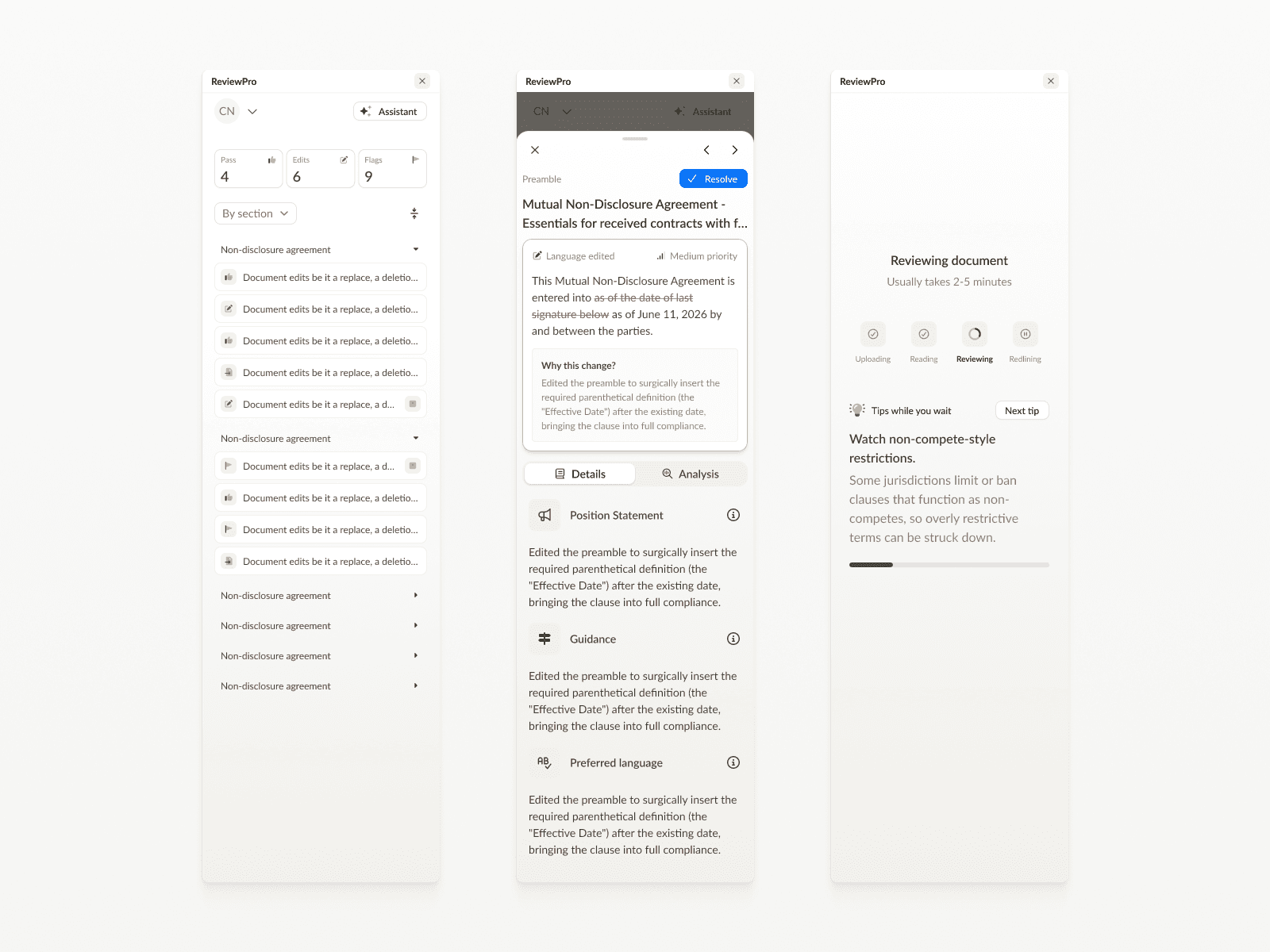
• Audited four AI contract review surfaces (Word add-in, iOS app, web platform, Google Docs) and fixed login and trust issues across them • Rebuilt the iOS app from the ground up after the existing experience tested poorly with users • Designed concept flows for the AI review experience, prototyping them in Xcode and HTML so interactions and animation were resolved before development • Established a design system with color, typography, spacing and component states shared across all four surfaces
• Product Designer • 2026
I used Figma for design and prototyping, and Claude Code and Codex to build interactive Xcode and HTML prototypes ahead of development.
Overview
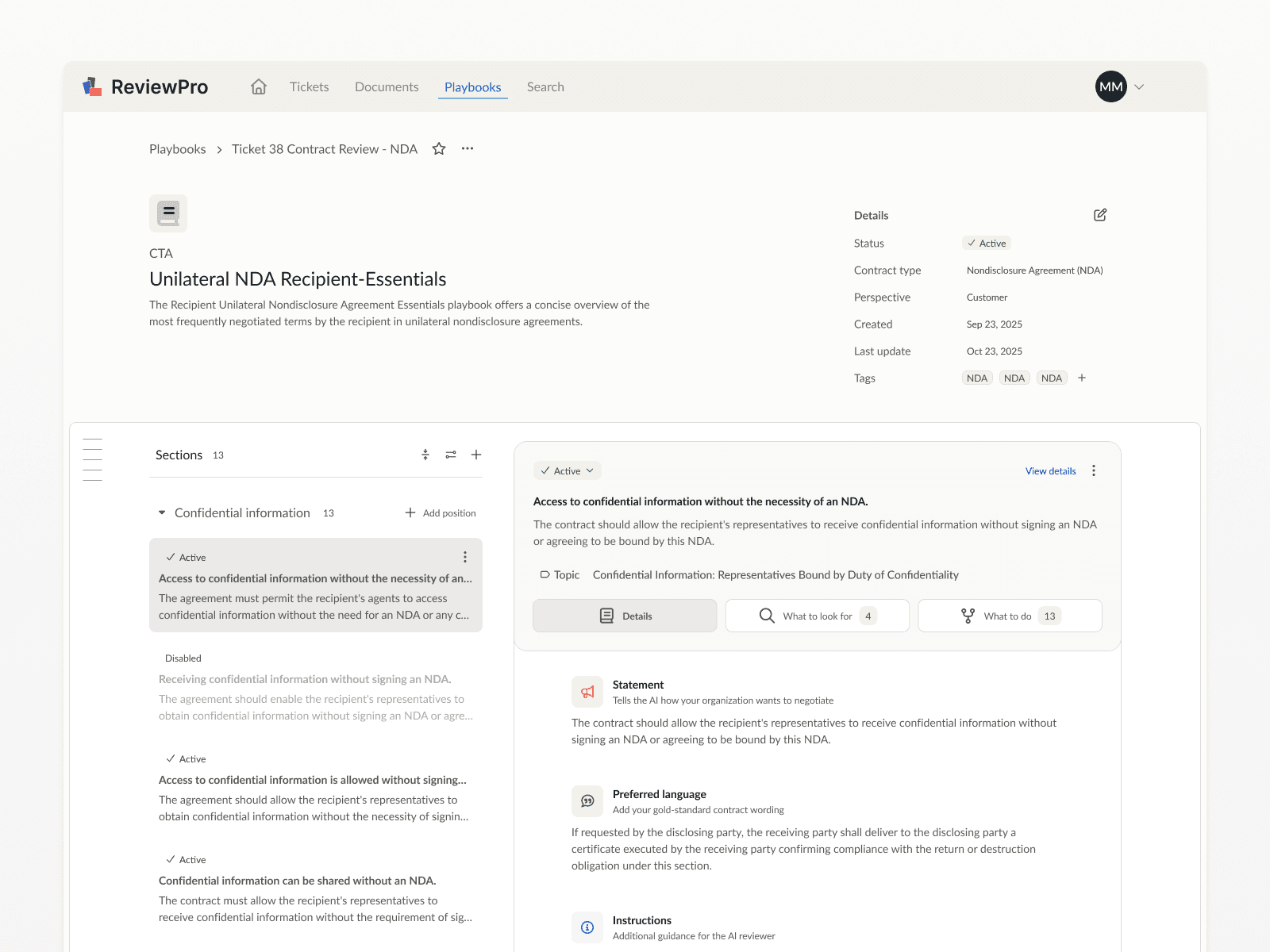
A multi-surface redesign of an AI-powered contract review product: Word add-in, iOS app, and web platform.
Project brief
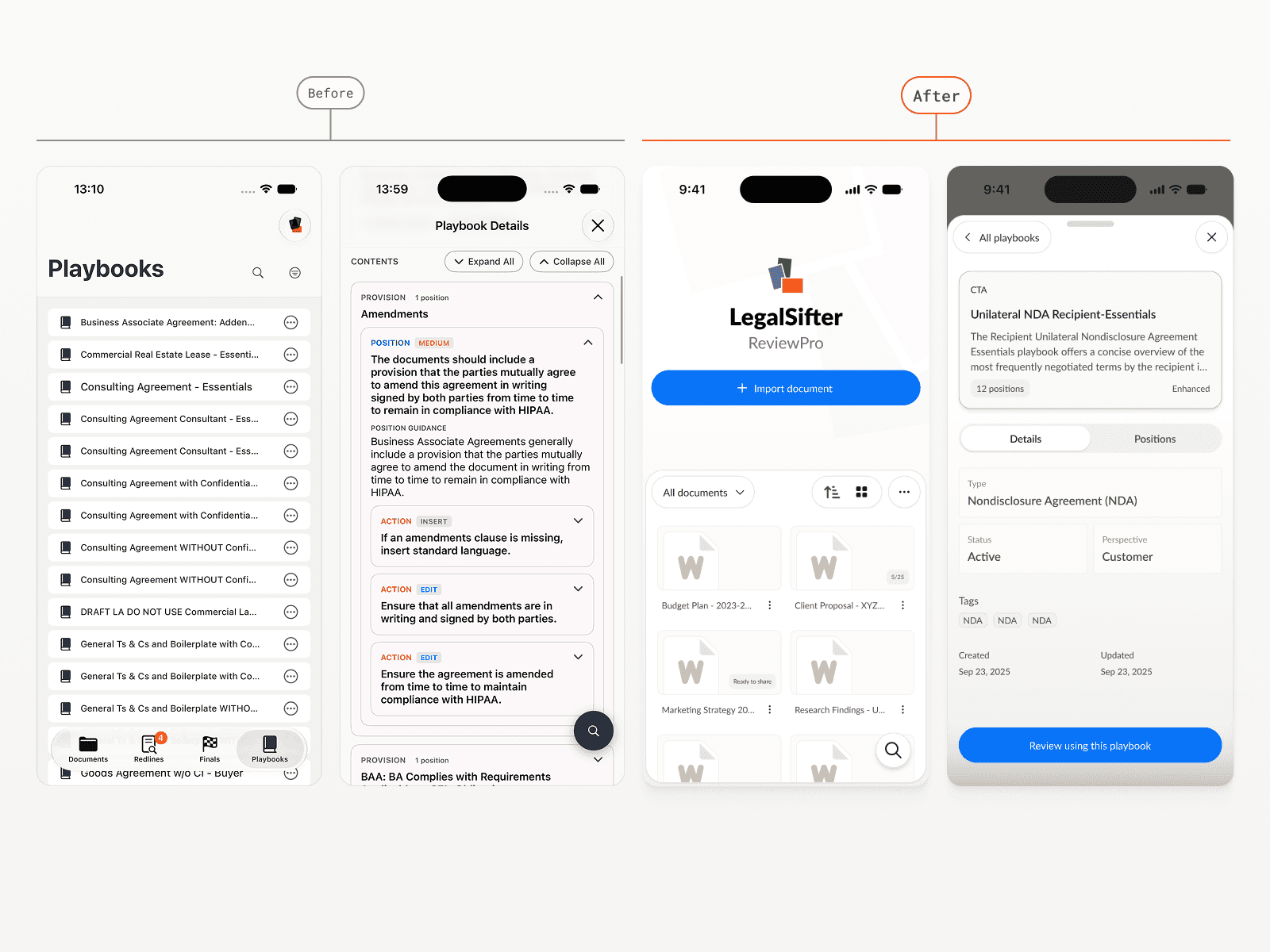
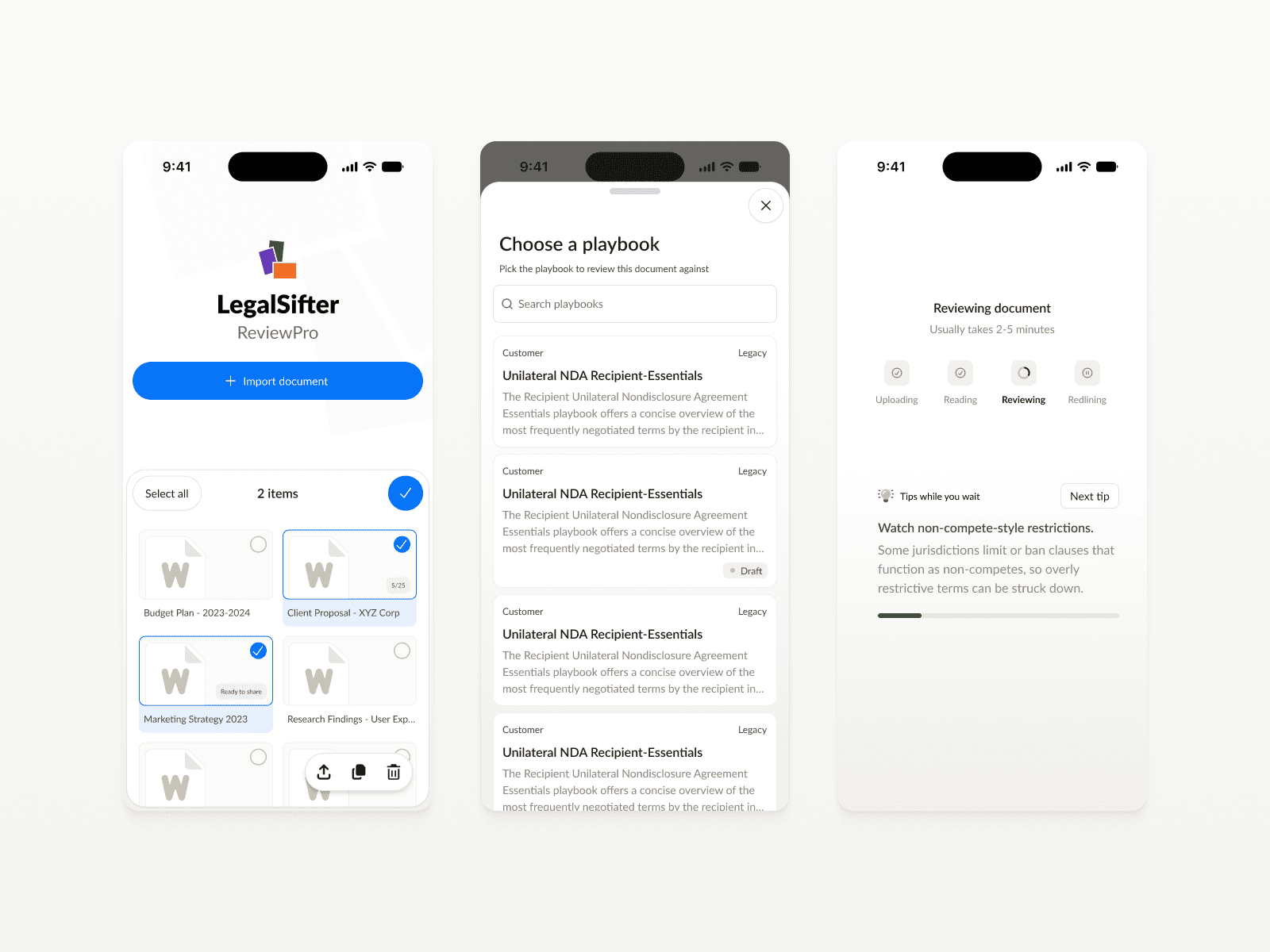
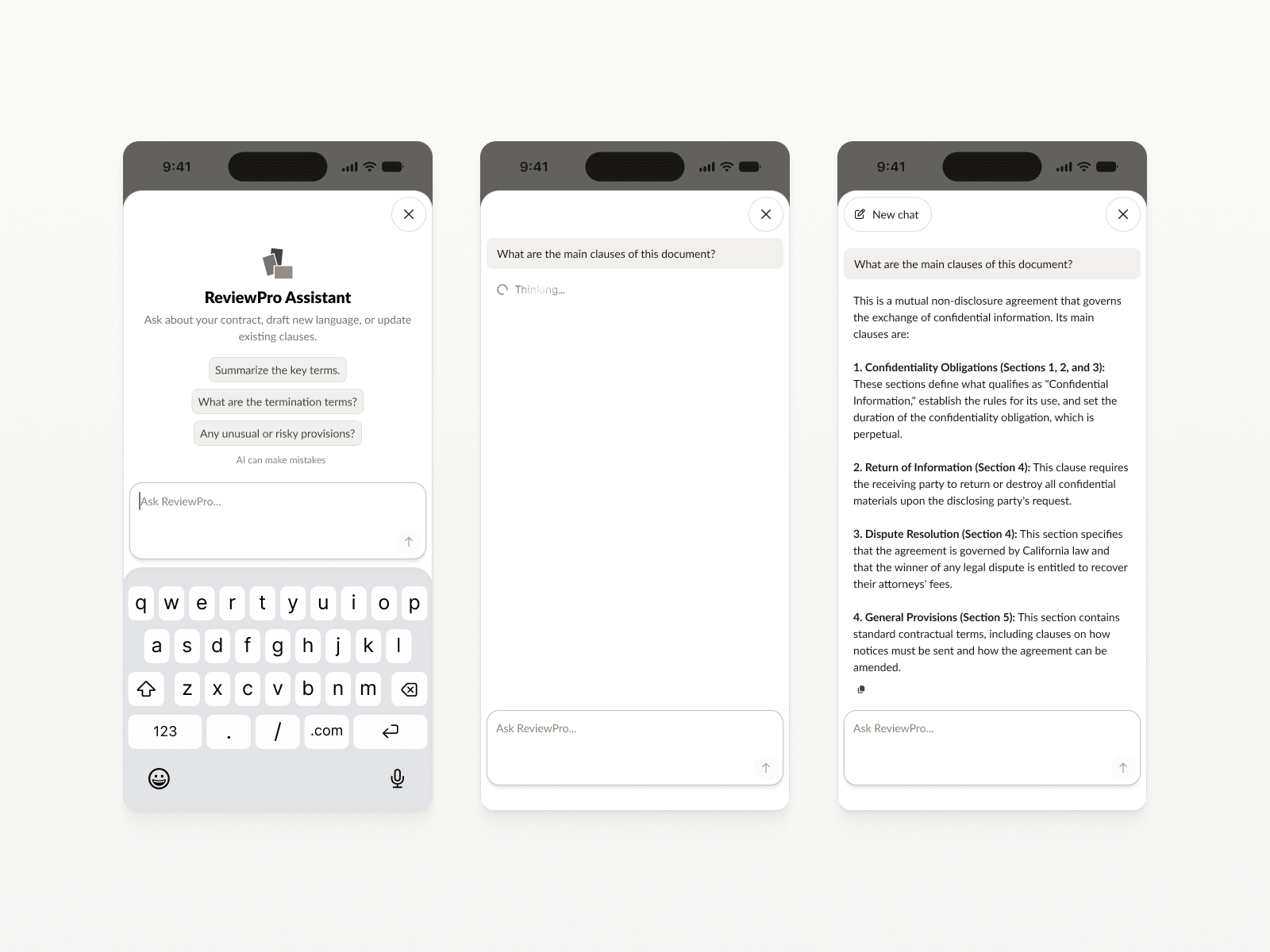
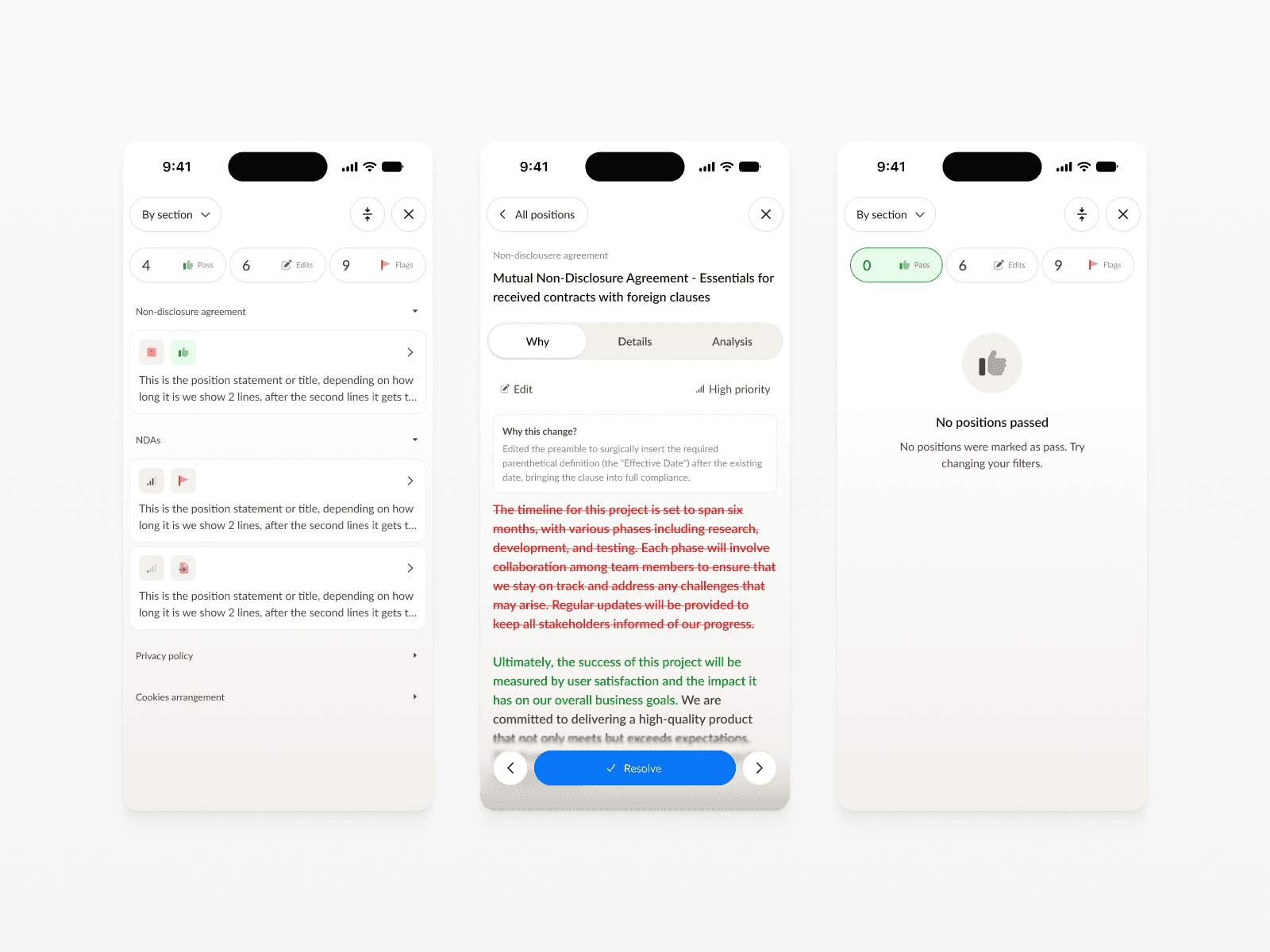
ReviewPro uses AI to read contracts and propose edits based on playbooks it has been trained on. I led the redesign across three surfaces so the AI’s suggestions felt clear, reviewable, and worth trusting. The work covered a shared design system, a rebuilt in-document review flow for the Word add-in, and UX updates to the iOS and web experiences. A core challenge was making AI output legible within a lawyer’s existing workflow: showing why a clause was flagged, what the playbook recommends, and allowing users to accept, edit, or dismiss without losing context.